使用 Google验证码 ReCaptcha V3
验证码的作用,不必多说。而且,谷歌的验证码想必多多少少,大家都见过
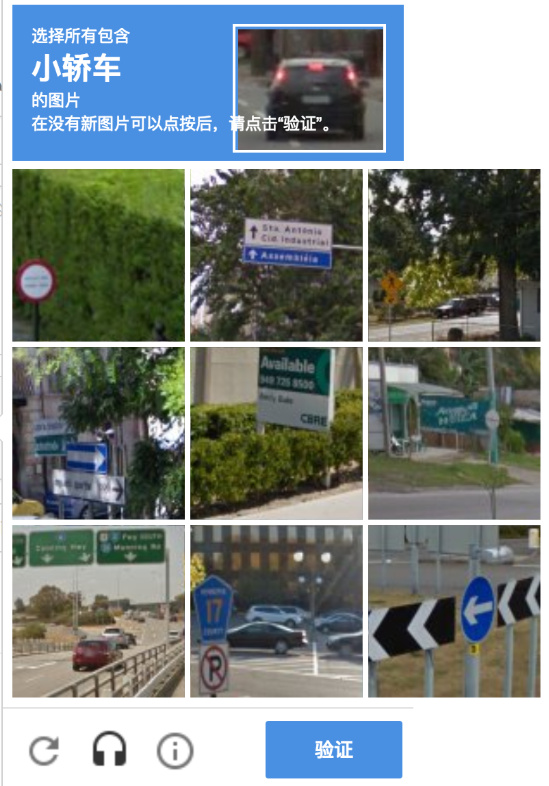
这是v2版本的验证码,需要用户去主动点击【我不是机器人】摁钮来触发验证。
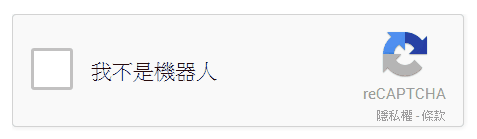
在新的v3版本中,已经不需要这些东西了。整个验证过程对于用户来说,是无感的。
官方文档
管理后台
https://www.google.com/recaptcha/admin/site/350006937
注册应用
需要科学上网
填写资料
https://www.google.com/recaptcha/admin/create
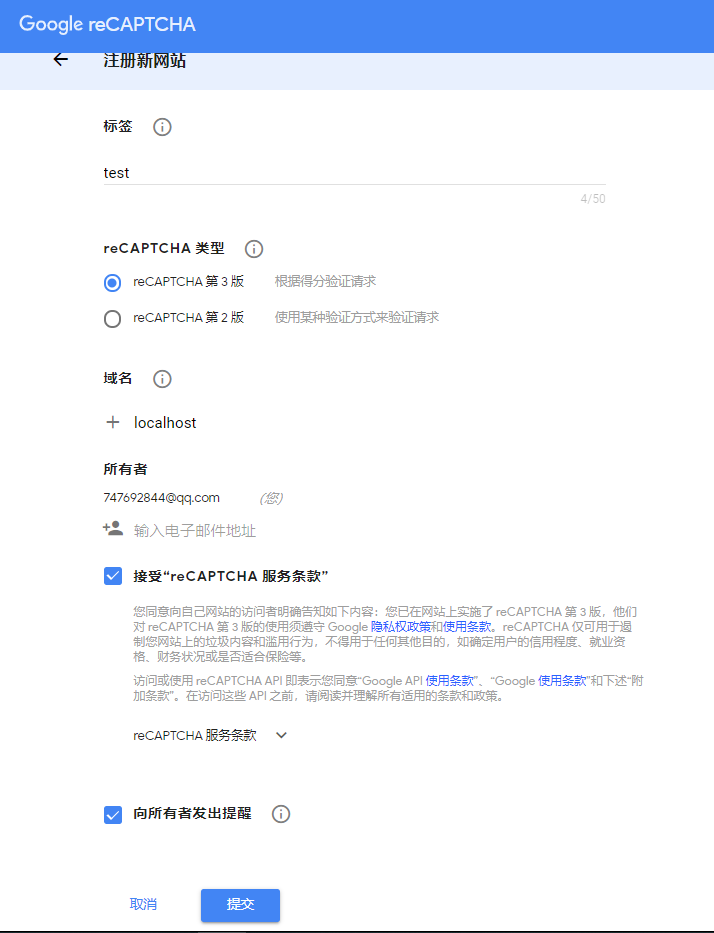
标签,随便填写,类似于名称。
reCaptcha类型,选择第3版
域名,填写web站点的域名
注册成功后,得到密钥
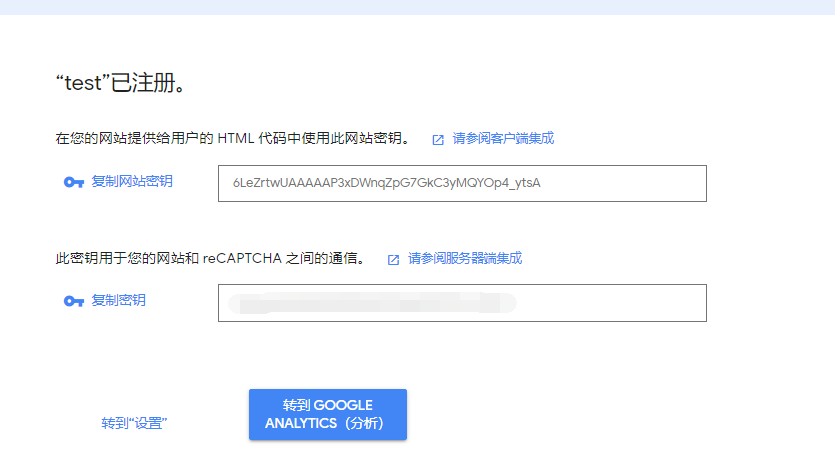
2个密钥,一个是在客户端(HTML)使用,一个是在服务端使用
前端
官方的demo
<script src="https://www.google.com/recaptcha/api.js?render=_reCAPTCHA_site_key"></script>
<script>
	grecaptcha.ready(function() {
		grecaptcha.execute('_reCAPTCHA_site_key_', {action: 'homepage'}).then(function(token) {

		});
	});
</script>
_reCAPTCHA_site_key_ 就是客户的的密钥
核心代码就是通过执行 grecaptcha.execute(...) 方法,在回调中获取到 token值。
action 参数 可以理解为 验证场景。可以自己定义名称。作用就是可以在后台,对于不同的场景进行特别的设置。例如专门为登录设计一个场景: login
后端的验证
请求接口 https://www.google.com/recaptcha/api/siteverify
请求方法 POST
| POST 参数 | 描述 |
|---|---|
| secret | 必须的,服务端的密钥 |
| response | 必须的,客户端验证的Token. |
| remoteip | 可选的,客户端的ip地址 |
响应
{
  score: 0.9  // 评分0 到 1。1:确认为人类,0:确认为机器人。
  hostname: "localhost"  // 请求的地址
  success: true  // 是否验证成功,
  challenge_ts: "2020-02-27T05:26:05Z"
  action: "homepage"
}
系统可以根据 score 值来判定此次请求是否合法。
国内的用户需要替换js文件的地址和服务端验证接口的地址(Fuck GFW)
替换客户端js地址
https://www.google.com/recaptcha/api.js
替换为
https://www.recaptcha.net/recaptcha/api.js
替换服务端接口地址
https://www.google.com/recaptcha/api/siteverify
替换为
https://www.recaptcha.net/recaptcha/api/siteverify
完整的一个例子
客户端
在模板引擎中,填充客户的的密钥:
${captchaClientSecret}
<!DOCTYPE html>
<html>
	<head>
		<meta charset="UTF-8">
		<title>谷歌ReCaptcha</title>
	</head>
	<body>
		<button>点击我执行验证</button>

	<script src="https://www.recaptcha.net/recaptcha/api.js?render=${captchaClientSecret}"></script>
	<script type="text/javascript">
		const CAPTCHA_CLIENT_SECRET = "${captchaClientSecret}";
		window.onload = () => {
			document.querySelector('button').addEventListener('click', () => {
				grecaptcha.execute(CAPTCHA_CLIENT_SECRET, {action: 'homepage'}).then(function(token) {
					console.log('客户端token:' + token);
					fetch('/validate?token=' + token, {
						method: 'GET'
					}).then(response => {
						if (response.ok){
							response.json().then(message => {
								console.log('服务端验证');
								console.log(message);
							});
						}
					});
				});
			});
		};
	</script>
	</body>
</html>
服务端
import javax.servlet.http.HttpServletRequest;

import org.springframework.beans.factory.annotation.Autowired;
import org.springframework.beans.factory.annotation.Value;
import org.springframework.http.HttpEntity;
import org.springframework.http.HttpHeaders;
import org.springframework.http.MediaType;
import org.springframework.http.ResponseEntity;
import org.springframework.util.LinkedMultiValueMap;
import org.springframework.util.MultiValueMap;
import org.springframework.web.bind.annotation.GetMapping;
import org.springframework.web.bind.annotation.RequestMapping;
import org.springframework.web.bind.annotation.RequestParam;
import org.springframework.web.bind.annotation.RestController;
import org.springframework.web.client.RestTemplate;

import com.alibaba.fastjson.JSONObject;

@RestController
@RequestMapping("/validate")
public class ValidateController {

	@Value("${google.recaptcha.validate-api}")
	private String validateApi;

	@Value("${google.recaptcha.server-secret}")
	private String captchaServerSecret;

	@Autowired
	RestTemplate restTemplate;

	@GetMapping
	public Object validate (HttpServletRequest request,
						@RequestParam("token")String token) {

		HttpHeaders httpHeaders = new HttpHeaders();
		httpHeaders.set(HttpHeaders.CONTENT_TYPE, MediaType.APPLICATION_FORM_URLENCODED_VALUE);

		MultiValueMap<String, Object> requestBody = new LinkedMultiValueMap<>();
		requestBody.add("secret", this.captchaServerSecret);
		requestBody.add("response", token);
		requestBody.add("remoteip", request.getRemoteAddr()); // 客户的ip地址,不是必须的参数。

		ResponseEntity<JSONObject> responseEntity = restTemplate.postForEntity(this.validateApi, new HttpEntity<>(requestBody,httpHeaders), JSONObject.class);

		if (!responseEntity.getStatusCode().is2xxSuccessful()) {
			// TODO 异常的HTTP状态码
		}

		return responseEntity.getBody();
	}
}
隐藏ReCAPTCHA图标
使用 reCAPTCHA,会在网站上提示出一个图标.。
如果需要隐藏,可以添加css
.grecaptcha-badge {
	display: none;
}